
Handling EFI/UEFI Boot Settings
EasyUEFI is a utility and tool software developed by Hasleo Software. The software is designed for managing the EFI/UEFI boot option for computers. Users can check the status of their computer’s hard disks and OS firmware.
Top Recommended Alternative

EFI/UEFI Boot Options Manager
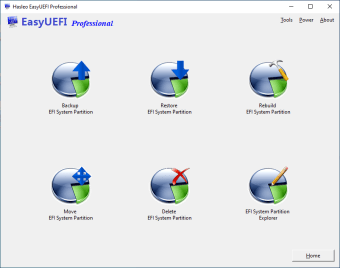
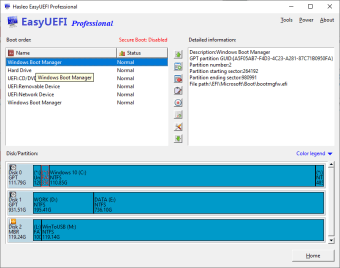
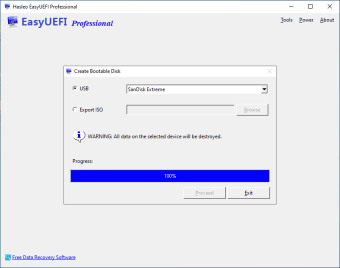
EasyUEFI has every tool necessary for anyone dealing with single or multiple computers. It allows management of EFI/UEFI boot option, as well as EFI System Partitions. Users can also fix any problems that could appear from EFI/UEFI boot. This software is capable of creating, deleting, editing and toggling EFI/UEFI boot options, along with changing the boot sequence. Any one-time Boot Entry can be configured according to the computer’s settings. It has an easy to use interface so that the EFI/UEFI boot is immediately fixed. Beginner and expert users can handle tasks involving with EFI/UEFI boot. Even the UEFI Firmware Settings can be fixed via Windows. There is no need to use the BIOS setup for modifying the boot order. Managing more than one computer is difficult. There will be instances where the EFI System Partition (ESP) has to be salvaged. The software enables making a backup, restoring and rebuilding of ESP, and transferring of ESP to any external drive. Users can also make WindowsPE bootable emergency disk. Any image file produced can be saved on USB drives or disks for later use. It works with CD/DVD burner software regarding transferring files to physical disks. The software comes with improved support for Command Prompt. Anyone can implement commands with ease. The software also works with EFI-based Windows. Its Professional edition supports Windows Vista, 7, 8, 10, and Windows 11 while the Enterprise edition also supports Windows Server 2008, 2016 and 2012.
A Powerful Tool for Maintaining Computers
EasyUEFI is a necessary software for small to large establishments. It can safeguard important files and computer setting efficiently. Its bootable copies in USB drive and disks are quite helpful for securing EFI/UEFI boot settings.